Let’s get one thing straight before we dive into app stores.
An app cannot create authority. A task tracker cannot make someone a dominant. A remote-controlled vibrator cannot substitute for the gravity of a real dynamic. If you’re hoping that the right combination of software is going to hold your D/s relationship together across a thousand miles, stop right there — because technology doesn’t create the thing. It serves it.
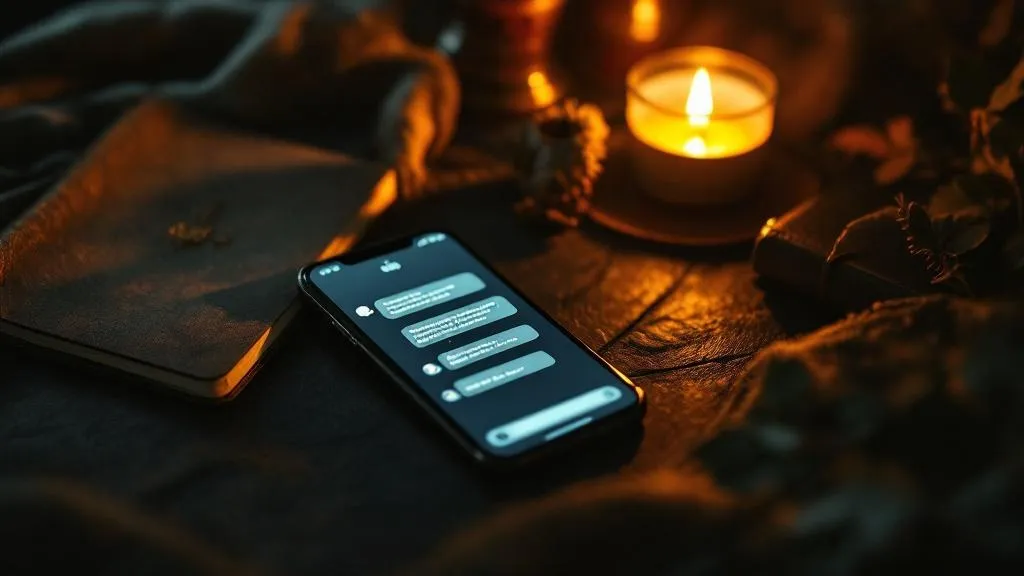
What apps can do is give a living, breathing dynamic the infrastructure it needs to function at a distance. When you’re separated by time zones and airport delays and the grinding mundanity of daily life, the right tools reduce friction. They keep the thread of the dynamic visible. They make it easier for a submissive to feel held, and easier for a dominant to stay present without being physically there.
That’s not a small thing. But it is a specific thing.
The tool works. The dynamic has to already exist.
With that said — here’s what actually works for long-distance D/s couples in 2026, who built what, what their privacy looks like, and what to skip entirely.
Task Management: Keeping the Dynamic Visible
The single biggest challenge in long-distance D/s is that the dynamic becomes invisible. When you’re in the same room, presence is self-evident. When you’re three states apart, the structure has to be actively maintained — or it quietly evaporates. Task management apps are how most LDR couples solve this.
Obedience
Obedience is the most purpose-built D/s task app on the market. It was designed specifically for dominant/submissive dynamics, which means it understands the structure in a way that generic productivity apps don’t.
The dominant creates tasks — daily rituals, protocols, assignments — and the submissive completes and logs them. There’s a built-in approval system, so a task isn’t just “done” when the submissive checks it off. It’s done when the dominant reviews and accepts it. That asymmetry matters. It’s the difference between a to-do list and an act of service.
What works: The framing. The fact that tasks have context, not just checkboxes. The approval workflow keeps the authority visible without requiring a real-time interaction for every single thing.
What doesn’t: The app has a smaller user base than generic tools, which means slower development. Some features feel unpolished. The design is functional but not beautiful. Free tier is limited enough that most serious users will need the paid version.
Privacy: Decent, but not exceptional. Your data sits on their servers. Nothing about Obedience should be considered Fort Knox. Don’t use it to store anything you’d be devastated to have exposed.
Habitica
Habitica is a gamified habit tracker built on RPG mechanics — your tasks become quests, your consistency earns experience points, your avatar levels up. It was built for productivity, not kink, but it’s found a genuine following in D/s communities because the gamification creates real engagement.
The dominant sets up the tasks. The submissive earns in-game rewards for completing them. Punishments can be built in as health penalties. It’s playful in a way that some dynamics genuinely enjoy — the gamification lowers the emotional weight, which can help submissives who struggle with perfectionism or task anxiety.
What works: The engagement loop is genuinely effective for some people. Accountability is built into the system. There’s a party feature that lets you connect accounts, so the dominant can actually see the submissive’s activity.
What doesn’t: The RPG aesthetic isn’t for everyone. If your dynamic is serious and protocol-heavy, a cartoon character gaining experience points may feel like it undercuts the gravity of what you’re doing. Test the vibe before committing.
Privacy: This is a mainstream productivity app with no BDSM-specific protections. Your activity is visible to anyone you connect with in-app. Don’t use a username that can be traced back to your real identity.
Shared Notion Workspace
For dominants who want complete control over structure and aesthetics, a custom Notion workspace beats any purpose-built app. Build it yourself: a database of ongoing protocols, a task view with completion tracking, a shared journal section, notes from previous check-ins.
It takes setup time but the result is a space that looks and feels exactly like your dynamic. No one else’s template. No one else’s aesthetic choices baked in.
Use a dedicated Notion account — not your work account, not your personal account tied to your real name. Create something clean and separated.
What works: Complete customization. The dominant’s rules, the dominant’s structure, presented exactly as intended. Very hard to outgrow.
What doesn’t: Setup barrier is real. If you’re not comfortable with Notion’s database features, this can get complicated fast. And generic apps have no concept of D/s dynamics, so you’re building structure from scratch.
Privacy: Better than it sounds, as long as you use a separate account. Notion workspaces are private by default. Just don’t share that account with people who know your real identity.
The Case for Simple Lists
Don’t underestimate a shared Google Doc or a basic shared checklist app like Todoist or Any.do. Sometimes the tool that actually gets used beats the tool that’s theoretically better.
If Obedience is too polished and Notion is too much setup, a simple shared doc with daily tasks listed out can be entirely sufficient. The dynamic lives in the relationship, not the software. A plain list that both partners actually engage with beats a feature-rich app that creates friction.
Communication Apps: Where the Dynamic Happens in Real Time
Task apps handle structure. Communication apps handle everything else — the check-ins, the voice and video, the moments of connection that keep the relationship real across distance. Choose these carefully.
Signal
Signal is the gold standard for private messaging for a reason. End-to-end encrypted by default, open-source code that security researchers can actually audit, no ads, no data mining. Messages can be set to disappear automatically. You can set different timers for different conversations.
For anything sensitive — explicit conversations, photos, discussions of your dynamic — Signal is the right choice. It’s not perfect (if someone has physical access to your unlocked phone, no app protects you) but it’s meaningfully better than the alternatives.
One critical note: Signal links to your phone number. If your phone number can be traced back to your real identity, that’s a connection. For an extra layer of privacy, use Signal with a Google Voice number rather than your actual mobile number.
Telegram
Telegram’s “Secret Chats” use end-to-end encryption with self-destructing messages. Regular Telegram chats are not end-to-end encrypted by default — this is a common misconception. If you’re using Telegram for sensitive content, use Secret Chats exclusively.
Telegram’s larger message size limits and better media handling make it useful for things Signal is clunky about: sending longer audio voice notes, sharing larger files, organizing media into albums.
The downside is that Telegram’s default mode (non-secret chats) stores messages on Telegram’s servers. Many people use Telegram casually without realizing their data isn’t as protected as they think.
Discord
Discord is less about private messaging and more about community — but for LDR couples who are also part of The Underground and want to participate in a broader D/s community, Discord servers are where a lot of that happens.
Some couples also use private Discord servers just for themselves: create a server with different channels (daily check-ins, task log, thoughts and reflection, a space for more explicit discussion). It becomes a kind of dynamic headquarters. Search and message history are easily accessible. Bots can be added to automate things like daily prompts.
Privacy caveat: Discord is not a privacy tool. Assume everything on Discord is logged by Discord. Keep genuinely sensitive material — photos especially — off Discord entirely.
Video: Zoom, Facetime, or Google Meet
For video calls, whatever platform you both already use is probably fine. The privacy nuances matter less here because video calls are inherently higher risk — real-time video is hard to intercept in any meaningful way without attacking the platform itself.
What matters more than the platform is the ritual around video check-ins. Many LDR D/s couples build weekly or daily video check-in protocols into the structure of the dynamic — a consistent time, consistent format. Same time every Sunday, dominant leads, submissive reports on the week. That structure is what makes it feel like a dynamic rather than just a long-distance relationship.
Remote Toy Apps: The Physical Thread Across Distance
This section deserves honesty upfront: remote toy control is one of the most technically impressive things the kink tech world has built, and also one of the areas with the most privacy risk and the most gap between marketing and reality.
Lovense
Lovense is the market leader in app-controlled toys for good reason. The ecosystem is extensive — internal vibrators, wearable vibrators, butt plugs, cock rings, prostate massagers — and the app actually works reliably, which is rarer in this space than it should be.
The dominant connects through the Lovense app and can control the toy in real time over the internet. There are options to sync vibration patterns to music, to create custom patterns, or simply to use the manual controls. The submissive wears the device; the dominant controls the experience.
What works: The Lovense Connect platform is genuinely reliable compared to competitors. Low latency (though not zero — there’s always some delay over the internet). Good toy variety. The app is stable and well-maintained. Long Lovense has a real engineering team behind it.
What doesn’t: Battery life on some devices is a limitation for extended wear protocols. The app UI is functional but not elegant. Sync quality depends heavily on internet connection quality on both ends.
Privacy: Here is where I’ll be direct with you. Lovense had a documented security incident in 2017 where a researcher found their app was logging what vibration patterns were used and sending that data back to their servers — by mistake, they said. They fixed it. But the incident revealed what the app was capable of.
The Lovense app requires both partners to have accounts. Those accounts are tied to your device. Your toy usage data goes through their servers. If Lovense’s privacy policy ever changes, or if they experience a data breach, that data exists somewhere.
This doesn’t mean don’t use Lovense. It means don’t use Lovense on a device where your real name, your work email, or any other identifying information is attached. Create a dedicated account with a non-identifying email address. Use a VPN when connecting.
We-Vibe
We-Vibe makes high-quality couples’ vibrators with solid remote control functionality via the We-Connect app. The product design is premium — these are well-built devices — and the app handles remote play competently.
The We-Vibe Connect feature allows a partner to control the toy from anywhere via the internet. Quality is comparable to Lovense. The toy range is smaller but the individual products are arguably better designed for couples who want to use toys during intercourse rather than just remote play.
Same privacy caveats as Lovense apply. We-Vibe has had their own security research attention — researchers at Concordia University found in 2016 that the We-Vibe app was collecting intimate user data without adequate disclosure. The company settled a class action lawsuit over this in 2017. They’ve made changes since, but the history is worth knowing.
Again: dedicated accounts, non-identifying information, VPN.
Other App-Controlled Options
The market has expanded significantly. Kiiroo makes strokers and vibrators with interactive and remote control features. Lelo has added app control to several of their premium products. Budget options from various manufacturers exist but often have poor app quality, poor security, and toys that break quickly.
The general principle: spend more on a reputable device with a maintained app, or you’ll spend it twice buying a replacement.
Journaling and Reflection: The Underrated Layer
Most people skip this category and miss something genuinely valuable. A shared record of the dynamic isn’t just documentation — it’s the foundation of growth.
Day One
Day One is a polished personal journaling app with end-to-end encryption built in. It’s available on iOS and Mac. The encryption is real — your entries are not readable by Day One or by anyone without your password.
Individual journaling is one thing. Where Day One becomes interesting for LDR D/s couples is when both partners use it independently and share selected entries with each other. The submissive journals their daily experience of the dynamic — what tasks felt like, what resonated, what they struggled with. The dominant journals their observations and intentions. Sharing those entries creates a depth of reflection that doesn’t happen in real-time messaging.
Limitation: Day One is not a collaborative shared journal. You can share entries but it’s not built for two-person simultaneous use.
Shared Google Doc
Simple, private, and effective. Create a document together — only accessible via Google accounts you’ve both created specifically for the dynamic. Use it as a shared journal, an ongoing record of check-in conversations, a place to log tasks and reflections. Archive old entries by month.
The advantage over fancy journaling apps is that both partners can read and respond to each other’s entries in the same document, creating a real dialogue rather than parallel monologues.
Privacy: A dedicated Google account with a non-identifying name and email address handles most of the risk here. Don’t use your real name account.
D/s Specific Journaling Apps
A few apps have emerged targeting D/s journaling specifically — Kindu (which is more of a desire-matching tool but has journal components), and some standalone apps in niche app stores. The honest review: most of them are underdeveloped and abandoned. The generic alternatives (Day One, shared docs) are more reliable and better built.
Privacy and Security: Read This Section First, Actually
I put this section here, but you should have read it before downloading anything I mentioned above. Because here’s the reality of being kinky online in 2026:
Your kink data is some of the most sensitive personal data you produce. More sensitive than your banking, in some contexts. Employers get people fired over kink exposure. Families get fractured. People lose custody of children. The stakes are real.
The Baseline Rules
Use dedicated accounts for everything kink-related. Create separate email addresses (ProtonMail is excellent for this — end-to-end encrypted, based in Switzerland, no logging). Use those email addresses to create app accounts. Never link kink accounts to your real identity.
Use a VPN. A VPN doesn’t make you anonymous — nothing makes you truly anonymous — but it prevents your ISP from seeing your traffic, prevents basic geolocation from being linked to your home IP, and adds a meaningful layer of difficulty for anyone trying to trace your activity. Mullvad and ProtonVPN are the most privacy-respecting commercial options. Avoid free VPNs.
Encrypted messaging only for sensitive content. Signal for explicit conversations. Signal for anything you’d be embarrassed to have exposed. Do not send explicit content through standard SMS, regular email, or non-encrypted messaging platforms.
Photo vault apps for sensitive images. If you’re sharing explicit photos with your partner, do not let those photos live in your standard camera roll. Apps like Keepsafe (which uses pin codes and military-grade encryption) or the private album feature in your phone’s built-in photos app (with Face ID protection) keep sensitive images separated from everything else. Better still: send through Signal, which allows both partners to set automatic deletion.
Review app permissions. Before installing any sex tech or kink-adjacent app, check what permissions it’s requesting. An app that wants access to your contacts, your location history, your microphone when not in use — these are red flags.
Metadata. Photos taken on smartphones embed GPS coordinates, device information, and timestamps in the image metadata. Before sending any explicit photo, strip the metadata. On iPhone, sharing via Signal automatically strips EXIF data. On Android, the same. But if you’re sending through any other platform, strip it manually first using a tool like Metapho (iOS) or ExifEraser (Android).
A Note on Cloud Backups
iPhone’s iCloud backup and Android’s Google backup both upload your data to cloud servers. If you take a photo in Signal but your camera roll backs up to iCloud, that photo may end up in a place you didn’t intend. Audit your backup settings. If you’re using encrypted messaging apps for explicit content, make sure the media from those apps isn’t being silently backed up to a cloud account tied to your real identity.
What to Avoid
Since we’re being honest here, let’s talk about what not to use.
Any app with a social feed or public profile feature. Some kink apps — FetLife most notably — have community features. FetLife is a legitimate community for some purposes, but it’s not a tool for private LDR dynamics. Anything with a social layer creates exposure risk. Keep your dynamic off social platforms.
Subscription traps. A number of “BDSM lifestyle” apps have appeared and disappeared in the last few years, built on subscription models with poor development behind them. If an app doesn’t have a clear company behind it, has reviews mentioning abandoned development, or requires a subscription before you can evaluate whether it works — skip it. Obedience has had some development inconsistency. Several purpose-built “D/s relationship apps” have vanished entirely, taking user data with them.
Cheap remote toy apps. The romance of “any app-controlled toy” wears off quickly when the app crashes mid-session, the connection drops repeatedly, or the device breaks after a month. If you’re going to use remote toys, pay for quality. The cheap versions exist; they’re not worth the frustration or the privacy risk from poorly built software.
WhatsApp for anything sensitive. WhatsApp’s end-to-end encryption is real, but WhatsApp is owned by Meta, which means your metadata — who you talk to, when, how often, from where — feeds into Meta’s advertising ecosystem. The content of your messages is encrypted; the pattern of your communication is not. For a low-stakes relationship check-in, fine. For managing a D/s dynamic you want kept private, Signal is the choice.
The Only Metric That Actually Matters
All of this is infrastructure. It serves the dynamic. It does not create it.
The best app for your long-distance D/s relationship is the one you both actually use consistently, that fits the structure you’ve already built, and that creates less friction in the dynamic rather than more. A perfect task tracking setup that one partner disengages from after two weeks is worse than a shared Google Doc you both check daily.
If you’re in a long-distance dynamic and feeling like the technology piece isn’t working, it’s worth asking a different question first: is the dynamic clear enough that tools can serve it? Or is the structure itself what needs attention?
The LDR Dom/Sub Survival Guide covers the structural side — the protocols, the communication cadence, the framework that makes distance survivable. The tools I’ve outlined above are the layer that goes on top of that.
If you’re looking for actual tasks to use in a long-distance dynamic, 50 Virtual Submission Tasks gives you a concrete starting point that works across any platform.
And if you’re newer to the dominant side of things and want to understand what authentic authority actually looks like before building systems to support it — start with the quiz. The framework matters more than the tech stack.
The dynamic is the point. The apps are just the scaffolding.
Build something real, and the tools will serve it. That’s the order of operations.